
Tools & calculators · Beginner · 4 min
Use household calculators responsibly
Find the calculator, check units, and distinguish assumptions from current policy or forecasts.
Last source-verified . Runtime data and availability may vary.
Open this featureLearn
What this lesson is for
Find the calculator, check units, and distinguish assumptions from current policy or forecasts.
Access: Public; saving account data requires sign-in.
Before you open it
- A modern browser with JavaScript enabled for interactive controls.
You will be able to
- Find the calculator, check units, and distinguish assumptions from current policy or forecasts.
See
Walk through the screen
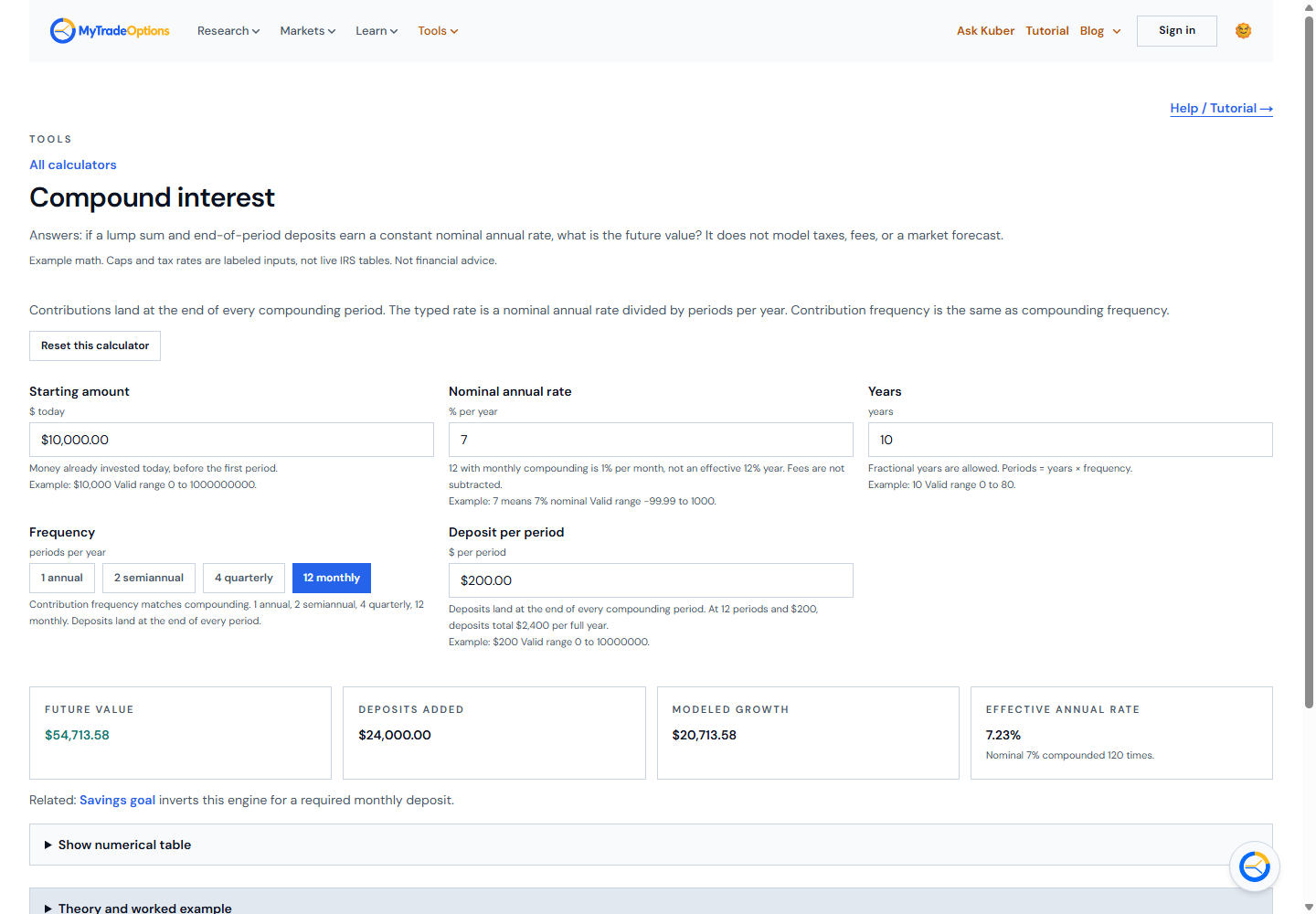
Open Tools → All tools and choose a Household calculator.
Read its assumption text, input help, units, bounds, and tax-year labels before entering values.
For Compound interest, enter Starting amount, Nominal annual rate, Years, Frequency, and Deposit per period.
Inspect Future value, Deposits added, Modeled growth, and Effective annual rate. Change one input at a time.
Use the matching calculator for 401(k), Roth IRA, Roth vs Traditional, Retirement, Mortgage, Investment return, Return risk, Dividend income, Inflation, Net worth, Savings goal, Investment fee impact, Debt payoff, Emergency-fund target, Refinance comparison, XIRR, Sequence of returns, Rebalancing, Real after-fee growth, Bond sensitivity, or Expected move.
For any calculator, read its result labels and limitations; resolve validation errors rather than treating unavailable values as zero.
Try
Worked example
Illustrative Compound interest input: Starting amount 10,000; Nominal annual rate 7%; Years 10; monthly Frequency; Deposit per period 200. These are teaching inputs, not promised returns.
Your task
Compare two compounding frequencies and explain the difference between nominal and effective annual rates.
Verify
Expected result
Each calculator renders deterministic model summaries and any available supporting chart or table from the entered values.
Common mistakes
- Check percent versus decimal input, annual versus monthly units, whole-year requirements, and payment-size errors.
- A zero-return or already-met savings case can be valid; use the tool's explicit message.
Progress is anonymous and local to this browser. It does not sync with your account.